How to wipe AI from your life

Had enough AI for one lifetime? (Image: Getty; Composite: The Spinoff)
All the tools, tips and tricks you need to turn off the slop firehose.
Earlier this week, Colette* picked up her phone and found things had changed. Overnight, her iPhone 17 had automatically updated to the latest software, allowing newly installed AI tools to run rife. “I didn’t want any of them,” she says.
Hilariously bad summaries topped her text message chats, along with awful predictive responses. Notifications alerted her to American public holidays that had filled up her calendar. “I want them gone,” says Colette.
While some AI fans are always thirsty for a new development, many feel like Colette and they have littered the internet with complaints about the latest iOS instalment – 27.2. It includes “next generation” enhancements for Apple Intelligence and a "more intelligent" Siri AI, improvements that are difficult to opt out of.
This, says Andrew Lensen, Victoria University senior lecturer in artificial intelligence, is the latest example of AI being pushed onto a skeptical public. “I’m sure there’ll be some settings… about disabling it, or at least turning parts of it off,” he says, but he believes they’ll be “somewhere buried”.
Lensen warns most AI tools are “being forced on us”. “It's really unfair that you're being forced to be exposed to it even if you're morally opposed to it,” he says. “It’s getting harder and harder [to avoid it].”
The Spinoff – which, to be clear, does not use generative AI to write or edit any of the stories it publishes – has heard the calls from Colette, along with many others who feel like she does. You’re sick of AI. You want the slop to stop. You want to burn it all to the ground.
We’re here to help.
Start with your phone
If you own an iPhone model 15 or later and you’ve already had the latest iOS update forced upon you, you’ll need to do some button mashing. You can adjust how much AI you want to use under settings > screen time > content & privacy restrictions > intelligence & Siri.
If you haven’t updated your iPhone to 27.2 yet, you can turn off automatic updates to halt the enforced changes. Or, as one user told us, you can keep ignoring its update pleas. “I plan to continue ignoring the notification… as long as I can,” they say. Be aware, though, this might mean you miss security patches and fixes to issues.
Samsung Galaxy phones from model 20 and up are riddled with AI functions and features. To limit their use, head to settings > Galaxy AI and toggle your services off one by one. Then use your Galaxy AI settings to choose “process data only on device” – this will limit the use of cloud-based AI functions. You can disable Bixby under Bixby’s settings.
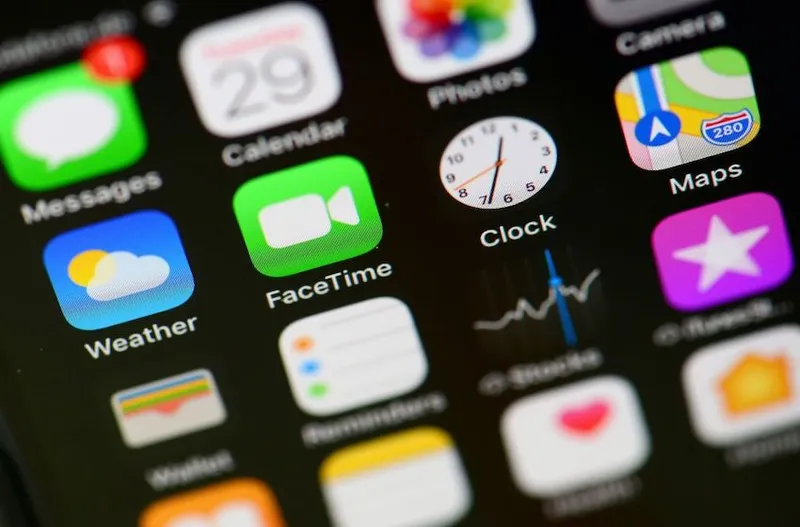
You could always stick with an older model phone untainted by AI, or make like the kids and buy a dumb phone with no internet capabilities. You’re going to get lost without any map services though, so be wary of walking into creeks.
Lensen has another suggestion: force AI to tell you how to avoid AI. “If you Google it, AI will probably tell you how to turn it off, which is very meta,” he says.
Now do the same on social media
You could train your algorithm by reporting and muting posts and accounts that serve you AI slop. You can tell social media services you don’t want to train their AI models under your settings. You can avoid dicey AI ads on YouTube with a premium account subscription. Some platforms will allow you to restrict your feed to only show posts from your friends and family members, just like the good old days.
Even if you get rid of AI, you’re still likely to be served content from virtual influencers, with some now boasting millions of followers. Besides, you can’t stop your boomer uncle sharing pictures of babies fishing for crabs as if they’re real. Look, social media is a hellhole. Let’s not get started on the travesty that is Grok. Maybe go touch grass instead.
Ban AI from your internet searches
AI Overviews began appearing at the top of Google search engines in 2024. Ever since, it has drastically shifted how people use the internet, with click-through rates to sites dropping by as much as 58%, according to some studies. Some media companies have launched lawsuits. “I miss old Google, lamented one user recently to The Guardian.
Google doesn’t let you turn its Overviews function off, but, while it has up to 95% of internet search traffic, you do have options. You could switch to a non-AI internet browser, like Vivaldi or LibreWolf, or DuckDuckGo offers an AI toggle, and noai.duckduckgo.com offers completely AI-free searches.
If you stick with Google, here’s a handy tip: get in the habit of typing -AI at the end of every search. It won’t get rid of all AI Overview results, but it will get rid of most of them.
Refuse to watch AI-infested TV shows and films
Nothing’s worse than being immersed in your favourite show or a new film then suddenly spotting AI posters lining a kids’ bedroom wall, or having an AI-generated building collapse throw you right out of the experience.
This is getting worse and there’s probably no stopping it: Netflix recently revealed 300 shows on its platform have used generative AI.
The answer? Find showrunners and directors you trust who are dead against AI. Support the content they create. There’s a reason The Odyssey was 2026’s second-biggest movie: they really did row a damn viking ship across the ocean.
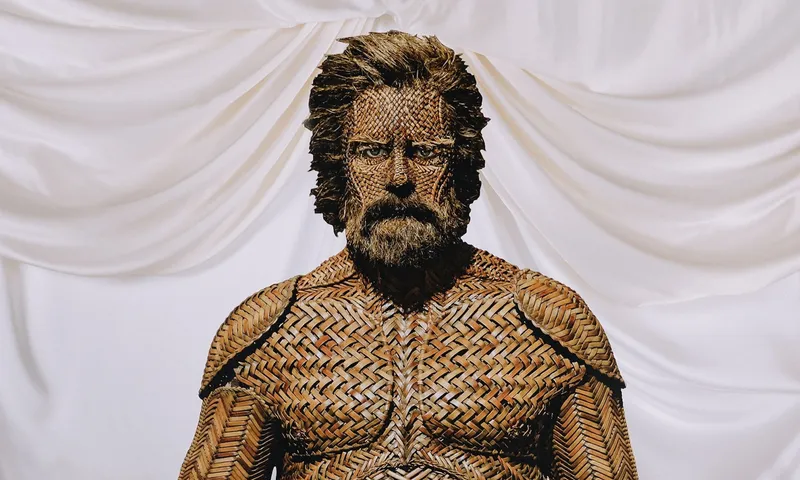
Currently in theatres, the movie Primetime doesn’t have AI. Neither does You Can See Everything, even if Elizabeth Holmes at times resembles a chatbot come to life. Weta Workshop says they used practical effects for almost all of Wicker – yes, even for those bits.
Music does not require the services of AI
Fuck The Velvet Sundown. Fuck Xania Monet. Fuck Fenix Flexin’s ‘Rubberz’. Fuck Breaking Rust hitting No. 1. Fuck Spotify’s algorithmically generated muzac playlists. There’s too much great stuff out there to ruin your ears with AI tunes.
Instead, go find the real thing. Listen to vinyl, or CDs, or Lumes, or stream full albums or your own hand-made playlists. If you’re worried the song you’re listening to was made using AI, plug it into Submithub.com and find out that way. If it’s a yes, ditch it, pronto.
Art has no use for AI either
When The Spinoff calls illustrator and cartoonist Toby Morris, he’s in the middle of a tour taking in North Island schools. On these trips, he’s been saddened to see AI art hanging in some school hallways. “It just seems a bit soulless and all looks the same.” Real art, he says, “has a bit more life to it”.
Spotting AI art is easy, he says. “It has a sheen of perfection but also just blandness.” Once you know the hallmarks, Morris believes you’ll be able to single out AI art for the “weirdly polished bit of nothingness” it is. “It’s just like a big giant mouse that's chewed up all the food in everyone's fridge and it's just spitting out a sort of a mash, a glob of gross chewed-up food”.
Instead, Morris suggests finding art you love and developing a connection to the person making it. Follow them on social media, message them to tell them you like their work, and support them by buying it. “It’s really meaningful to me as a creator when people are sharing my stuff, or talking about my stuff,” says Morris.
Morris believes AI will quickly get “pretty stinky and old” and people will return to real art. This, he says, is already happening. “People are realising that the stuff we have all enjoyed for years doesn't just magically appear out of the air, that it was made by people and that to continue getting it, we have to support the arts and support artists around us.”
* Not her real name.

Chris Schulz
Chris Schulz is a contributing writer at The Spinoff. He's an award-winning journalist from Tāmaki Makaurau who has spent 25 years working for local publications. His specialties include live events, pop culture, infrastructure and Aotearoa music.


